-
Type power in the Start Menu’s
search box and select Power Options from the
search results.
-
Click Change plan settings under the power plan
you’re currently using.
-
Click Change advanced power settings.
-
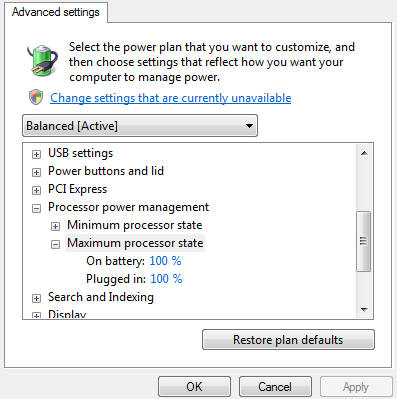
Click Change settings that are currently
unavailable to unlock the settings in the Power
Options window.
-
Expand Processor Power Management.
-
Expand Maximum Power State.
-
Adjust the percentages for on "Battery" to 100%.
-
Adjust the percentages for on "Plugged in" to
100%.
-
Click OK to save the changes.