Windows Vista upgrade, Install, reinstall and help guides        Windows Vista upgrade, Install, reinstall and help guides

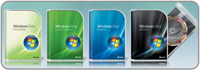
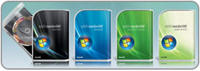
Microsoft Windows Vista comes in 5 flavours, Vista Ultimate, Home Basic, Home Premium, Business and Enterprise. You can compare the different Vista Versions here . This site contains many guides to help you install, reinstall, upgrade, uninstall, repair, diagnose and troubleshoot your Windows Vista operating system. Y


WindowsReinstall.com Community Website        Exchange Links with this site     Downloads for your Computer

Recommended: Click here to run a Free Performance Scan

Repair, Uninstall, Upgrade, reinstall, install and Troubleshooting Microsoft's Windows Vista


Free Performance Scan - Click here

Free Scan Now! 


Free Registry Scan Now!

Free Scan Now! 


VISTA OPTIONS


About Vista

Choose your version to continue:  -  Choose some of our other Vista Guides

Buy Windows Vista in our Amazon store  -  The Different versions of Vista


Manufactured PC OEM Uninstalls, Upgrades, Reinstalls, Repair Guides all here

Windows Vista Ultimate Uninstalls, Upgrades, Installs, Diagnostics, Reinstalls and Repair Guides

Windows Vista Home Premium Uninstalls, Upgrades, Installs, Diagnostics, Reinstalls and Repair Guides

Windows Vista Business Uninstalls, Upgrades, Installs, Diagnostics, Reinstalls and Repair Guides

Windows Vista Home Basic Uninstalls, Upgrades, Installs, Diagnostics, Reinstalls and Repair Guides


Click here for an all-in-one suite that offers you a complete solution to solve all your computer problems in an easy way.


    Back up your PC and be sure to restore it


 ABOUT VISTA


  • Windows Vista introduces a breakthrough user experience and is designed to help you feel confident in your ability to view, find, and organize information and to control your computing experience.

  • The visual sophistication of Windows Vista helps streamline your computing experience by refining common window elements so you can better focus on the content on the screen rather than on how to access it. The desktop experience is more informative, intuitive, and helpful. And new tools bring better clarity to the information on your computer, so you can see what your files contain without opening them, find applications and files instantly, navigate efficiently among open windows, and use wizards and dialog boxes more confidently.

  • Now click on the version you will be using for more information and guides on it:

Before you install or purchase Windows Vista you should make sure that your computer is compatible, click here for hardware and system requirements plus run upgrade advisor that is available from the link provided. This will allow you to checkout your system before you purchase or open the Windows Vista packaging.

  Click here for Vista Upgrade Advisor


Free Vista Instant Process Scan

Click here to find out if  your Windows is Authentic (Legal)

All versions of Vista are available in our astore's at: 

Amazon.co.uk and Amazon.com


Please choose your version to continue:


Microsoft Windows Vista Home Premium FULL VERSION [DVD] [Old Version]

Windows Vista Home Premium mini site

Vista Home Premium uninstall, install, reinstall, upgrade and repair guides on this page


Microsoft Windows Vista Ultimate FULL VERSION [DVD] [Old Version]

Windows Vista Ultimate mini site

Vista Ultimate uninstall, install, reinstall, upgrade and repair guides on this page

   
Microsoft Windows Vista Business FULL VERSION [DVD] [Old Version]

Windows Vista Business mini site

Vista Business uninstall, install, reinstall, upgrade and repair guides on this page

  Microsoft Windows Vista Home Basic FULL VERSION [DVD] [Old Version]

Windows Vista Home Basic mini site

Vista Home Basic uninstall, install, reinstall, upgrade and repair guides on this page


  Vista Enterprise Editions go here  
     
     
  Alternatively Choose some of our other Guides  


  Vista Screenshots Compare Microsoft Windows Vista Versions

Vista Upgrade Advisor

        
 Is your Windows is Authentic (Legal) Watch the latest videos on YouTube.com System and hardware requirements 
        
CD-Rom Support Compare Vista Versions Upgrade Paths for Vista
       
Change CDRom in BIOS Run Vista Memory Tests Service Pack Guides
        
Run Vista System Restore from DVD  Vista System and Hardware Requirements Repair Vista startup Problems
     
     
LinkScanner Pro - Keep your surfing safe
        

All versions of Vista are available in our Amazon stores


Amazon.co.uk   Amazon.com


The Different versions of Vista


  • Windows Vista Business
    Regardless of the size of your organization, Windows Vista Business will help you lower your PC management costs, improve your security, enhance your productivity, and help you stay better connected.

  • Windows Vista Enterprise
    Windows Vista Enterprise is designed to meet the needs of large global organizations with highly complex IT infrastructures. Windows Vista Enterprise can help you lower your IT costs while providing additional layers of protection for your sensitive data.

  • Windows Vista Home Premium
    Whether you choose to use your PC to write e-mail and surf the Internet, for home entertainment, or to track your household expenses, Windows Vista Home Premium delivers a more complete and satisfying computing experience.
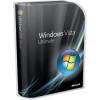
  • Windows Vista Ultimate
    If you want all of the best business features, all of the best mobility features, and all of the best home entertainment features that Windows Vista has to offer, Windows Vista Ultimate is the solution for you. With Windows Vista Ultimate you don't have to compromise.

  • Windows Vista Home Basic
    Windows Vista Home Basic is designed to deliver improved reliability, security, and usability to home PC users who just want to do the basics with their PCs 


Windows Vista Ultimate Uninstalls, Upgrades, Installs, Diagnostics, Reinstalls and Repair Guides.

Microsoft Windows Vista Ultimate FULL VERSION [DVD] [Old Version]

 
  • How to install Windows Vista Ultimate on a new Hard Drive. 

Single Page

Multi-Page

  • How to install Windows Vista Ultimate when your hard drive cannot be seen and is new.

Single Page

  
  • How to Remove Windows Vista Ultimate from your computer.

Single Page 

  • How to Upgrade to Windows Vista Ultimate from a previous operating system

Single Page

Multi-Page

 
  • How to use the Windows Vista Ultimate CD or DVD to run a memory Diagnostics test.


Single Page

Multi-Page

  • How to use the Windows Vista Ultimate CD or DVD to repair a Startup Problem

Single Page

Multi-Page

 
  • How to use the Windows Vista Ultimate CD or DVD to run System Restore.

Single Page

Multi-Page


For More information see our stand alone section http://vistaultimate.windowsreinstall.com/

You can also discuss problems and issues in our community forum here: http://www.community.windowsreinstall.com/ 

Choose some of our other useful Vista Guides Here


Windows Vista Home Premium  Uninstalls, Upgrades, Installs, Diagnostics, Reinstalls and Repair Guides.

Microsoft Windows Vista Home Premium FULL VERSION [DVD] [Old Version]


  • How to install Windows Vista Home Premium on a new Hard Drive. 

Single Page

Multi-Page

  • How to install Windows Vista Home Premium when your hard drive cannot be seen and is new.

Single Page

  
  • How to Remove Windows Vista Home Premium from your computer.

Single Page 

  • How to Upgrade to Windows Vista Home Premium from a previous operating system

Single Page

Multi-Page

 
  • How to use the Windows Vista Home Premium CD or DVD to run a memory Diagnostics test.


Single Page

Multi-Page

  • How to use the Windows Vista Home Premium CD or DVD to repair a Startup Problem

Single Page

Multi-Page

 
  • How to use the Windows Vista Home Premium CD or DVD to run System Restore.

Single Page

Multi-Page


For More information see our stand alone section http://vistahomepremium.windowsreinstall.com/

You can also discuss problems and issues in our community forum here: http://www.community.windowsreinstall.com/ 

Choose some of our other useful Vista Guides Here


Windows Vista Business  Uninstalls, Upgrades, Installs, Diagnostics, Reinstalls and Repair Guides.

Microsoft Windows Vista Business FULL VERSION [DVD] [Old Version]


  • How to install Windows Vista Business on a new Hard Drive. 

Single Page

Multi-Page

  • How to install Windows Vista Business when your hard drive cannot be seen and is new.

Single Page

  
  • How to Remove Windows Vista Business from your computer.

Single Page 

  • How to Upgrade to Windows Vista Business from a previous operating system

Single Page

Multi-Page

 
  • How to use the Windows Vista Business CD or DVD to run a memory Diagnostics test.


Single Page

Multi-Page

  • How to use the Windows Vista Business CD or DVD to repair a Startup Problem

Single Page

Multi-Page

 
  • How to use the Windows Vista Business CD or DVD to run System Restore.

Single Page

Multi-Page


For More information see our stand alone section: http://vistabusiness.windowsreinstall.com/

You can also discuss problems and issues in our community forum here: http://www.community.windowsreinstall.com/ 

Choose some of our other useful Vista Guides Here


Windows Vista Home Basic Uninstalls, Upgrades, Installs, Diagnostics, Reinstalls and Repair Guides.

Microsoft Windows Vista Home Basic FULL VERSION [DVD] [Old Version]


  • How to install Windows Vista Home Basic on a new Hard Drive. 

Single Page

Multi-Page

  • How to install Windows Vista Home Basic when your hard drive cannot be seen and is new.

Single Page

  
  • How to Remove Windows Vista Home Basic from your computer.

Single Page 

  • How to Upgrade to Windows Home Basic from a previous operating system

Single Page

Multi-Page

 
  • How to use the Windows Vista Home Basic CD or DVD to run a memory Diagnostics test.


Single Page

Multi-Page

  • How to use the Windows Vista Home Basic CD or DVD to repair a Startup Problem

Single Page

Multi-Page

 
  • How to use the Windows Vista Home Basic CD or DVD to run System Restore.

Single Page

Multi-Page


For More information see our stand alone section: http://vistahomebasic.windowsreinstall.com/

You can also discuss problems and issues in our community forum here: http://www.community.windowsreinstall.com/ 

Choose some of our other useful Vista Guides Here


Site Related

Hardware links - Internet links - Other links - Software Links - Web Design links

By using this website you are agreeing to this Disclaimer & Legal statement